For digital nomads, long-term renters, Airbnb hosts, and property owners.
Moving into a home, condo, or rental property in Playa del Carmen is exciting — but setting up utilities can be confusing if you’re new to Mexico.
Between internet providers, WiFi setup, CFE electricity bills, water accounts, gas delivery, RFC requests, proof of address, and property owner authorizations, the process isn’t always obvious.

This guide walks through how to set up utilities in Playa del Carmen step by step — internet and WiFi, electricity through CFE, water through Aguakan or your HOA, gas, mobile backup, smart home, HOA coordination, and a complete move-in checklist. Whether you’re a property owner, long-term renter, Airbnb host, digital nomad, or expat, you’ll get organized before move-in.
Need help setting up a property?
PlayaStays handles utility coordination, move-in setup, and property onboarding.
Local team. Owner-side coordination with internet providers, CFE, Aguakan, gas, and HOAs. We handle the back-and-forth so your property is rental-ready or move-in-ready without you on the ground.
Utility setup quick overview
Most properties in Playa del Carmen need some combination of:
- Internet service
- WiFi router setup
- Electricity through CFE
- Water service (often through Aguakan or HOA-managed)
- Gas service
- Mobile phone service
- Backup internet
- Streaming or smart-TV setup
- Smart locks or security cameras
- HOA or building-administration coordination
In many condos, some services are already active and remain in the owner’s name. With long-term rentals or newly purchased properties, utilities may need to be opened, transferred, or organized before move-in. The most important first step is to confirm what’s already active and what still needs setup.
Decision tree — where do you stand?
Before you commit to anything, answer these
- Are you in a condo or a house?
- Is this a short-term rental, a long-term rental, or owned?
- Do you work remotely?
- Will the property host Airbnb guests?
- Do you need backup internet for redundancy?
- Are utilities staying in the owner’s name, or are they being transferred?
- Is there an HOA, and what does it manage on your behalf?
Your answers shape everything that follows — what you need to set up yourself, what the owner or HOA already handles, and which utilities are mission-critical vs. nice-to-have.
Owner vs. tenant responsibilities
Who handles what depends on the lease, property type, and agreement between owner and tenant. The table below is a typical breakdown — confirm specifics in your own arrangement before move-in.
| Utility / task | Short-term guest | Long-term tenant | Property owner | Property manager |
|---|---|---|---|---|
| Internet account | — | Often tenant or owner | Sets up | Coordinates install |
| WiFi support | — | Tenant | Owner / manager | Front-line for guests |
| CFE electricity bill | Included | Reimburse or pay direct | Account holder | Tracks payments |
| Water | Included | Often included via HOA | Account holder if not HOA | Liaises with HOA |
| Gas refills | — | Tenant or scheduled | Owner sets schedule | Schedules deliveries |
| HOA coordination | — | Limited | Direct relationship | Day-to-day liaison |
| Smart locks | Uses code | Has own code | Owns hardware | Manages codes |
| Outage response | Reports | Reports + DIY where safe | Authorizes repairs | First responder |
| Payment tracking | — | For their utilities | For owner-held accounts | Bookkeeping for owner |
Documents master list
Requirements vary by provider, but having these ready will dramatically speed up every utility setup.
Must-have
- Passport or official Mexican ID
- Lease agreement or proof of ownership
- Full property address (street, building, unit)
- Previous utility bill if available (especially CFE)
- Mexican phone number
- Email address
- Payment method (debit/credit card or bank account)
Helpful / nice-to-have
- RFC (Mexican tax ID, if you need facturas)
- CURP (Mexican personal ID)
- Mexican bank account (for SPEI transfers)
- Power of attorney for remote owners
- HOA / building administration contact
- Google Maps pin of the property
- Meter number or service number from previous bill
- Comprobante de domicilio (proof of address)
One useful detail: a CFE bill is often the most accepted form of comprobante de domicilio in Mexico — banks, mobile providers, and other services frequently ask for it. If you can get the latest CFE bill at move-in, hold on to it.
1Internet and WiFi in Playa del Carmen

For most people, internet is the most urgent utility — especially digital nomads, remote workers, long-term tenants, and Airbnb hosts. Before anything else, understand the difference between two terms people use interchangeably.
Internet vs. WiFi
Internet is the actual service coming into your property from a provider — Telmex, Totalplay, Izzi, Megacable, or Starlink. WiFi is the wireless signal your router broadcasts inside the unit. You can have great internet and bad WiFi if the router is in the wrong place, the walls are concrete, or the unit is too large for one access point.
For Airbnb hosts and remote workers, “having internet” isn’t enough — you need reliable WiFi coverage in every room, including bedrooms and balconies. Many people search for “WiFi in Playa del Carmen” when they actually need home internet service plus thoughtful router placement.
Provider options
- Telmex Infinitum — widely available, fiber in many buildings, account management via Mi Telmex
- Totalplay — strong fiber where available, often the choice for heavy remote-work households
- Izzi — practical TV+internet bundles, area-dependent quality
- Megacable — coverage varies by neighborhood; useful as a comparison option
- Starlink — satellite, useful where local infrastructure is weak (more on this below)
- Mobile hotspot backup — Telcel, AT&T Mexico, Movistar — for emergencies and travel
Provider comparison
| Provider | Typical speeds | Install time | Best for | Notes |
|---|---|---|---|---|
| Telmex Infinitum | Up to fiber-tier where available | Days to weeks | General home / wide coverage | Most familiar, building-dependent infrastructure |
| Totalplay | Fiber-tier where covered | Days to weeks | Heavy remote work / streaming | Coverage varies — check address first |
| Izzi | Mid-tier cable | Days | Bundle deals (TV + internet) | Performance is neighborhood-dependent |
| Megacable | Mid-tier cable | Days | Backup option / less-covered areas | Useful where Telmex/Totalplay aren’t ideal |
| Starlink | Satellite high-speed | Hardware shipped + self-install | Rural / weak fiber / backup | Needs sky access; hardware + monthly cost above local fiber |
Pricing and exact speeds change frequently — confirm current plans directly with each provider:
Telmex ·
Totalplay ·
Izzi ·
Megacable ·
Starlink. Use Speedtest.net to verify what you’re actually getting after install.
2Starlink in Playa del Carmen

Starlink is satellite internet — useful in Playa del Carmen when local fiber is unreliable, unavailable, or slow. It connects through equipment installed at the property and doesn’t depend on local cable infrastructure.
Good for: backup internet, properties with poor local options, remote workers who need redundancy, houses or rooftops with clear sky access, vacation-rental owners who want a fallback connection, properties outside dense central areas.
Watch out for: hardware and monthly cost are usually higher than traditional local plans; needs clear sky visibility; HOA or condo rules often restrict mounting on shared roofs or facades; weather and obstructions can affect performance.
Pricing reality check
Starlink pricing changes — but as a rough reference, hardware and monthly service are usually more expensive than traditional local internet plans. Always verify directly with Starlink Mexico for current availability and pricing in your area.
For many Playa del Carmen properties, the strongest setup is reliable fiber as the primary plus Starlink (or a mobile hotspot) as backup.
3WiFi optimization playbook
You can have premium fiber and still have terrible WiFi in your bedroom. The router placement matters as much as the plan.
- Place the router centrally — not in a closet, cabinet, or against an exterior wall.
- Avoid concrete corners, electrical panels, and behind heavy furniture.
- Test signal in every room — bedrooms, bathrooms, balcony, work area.
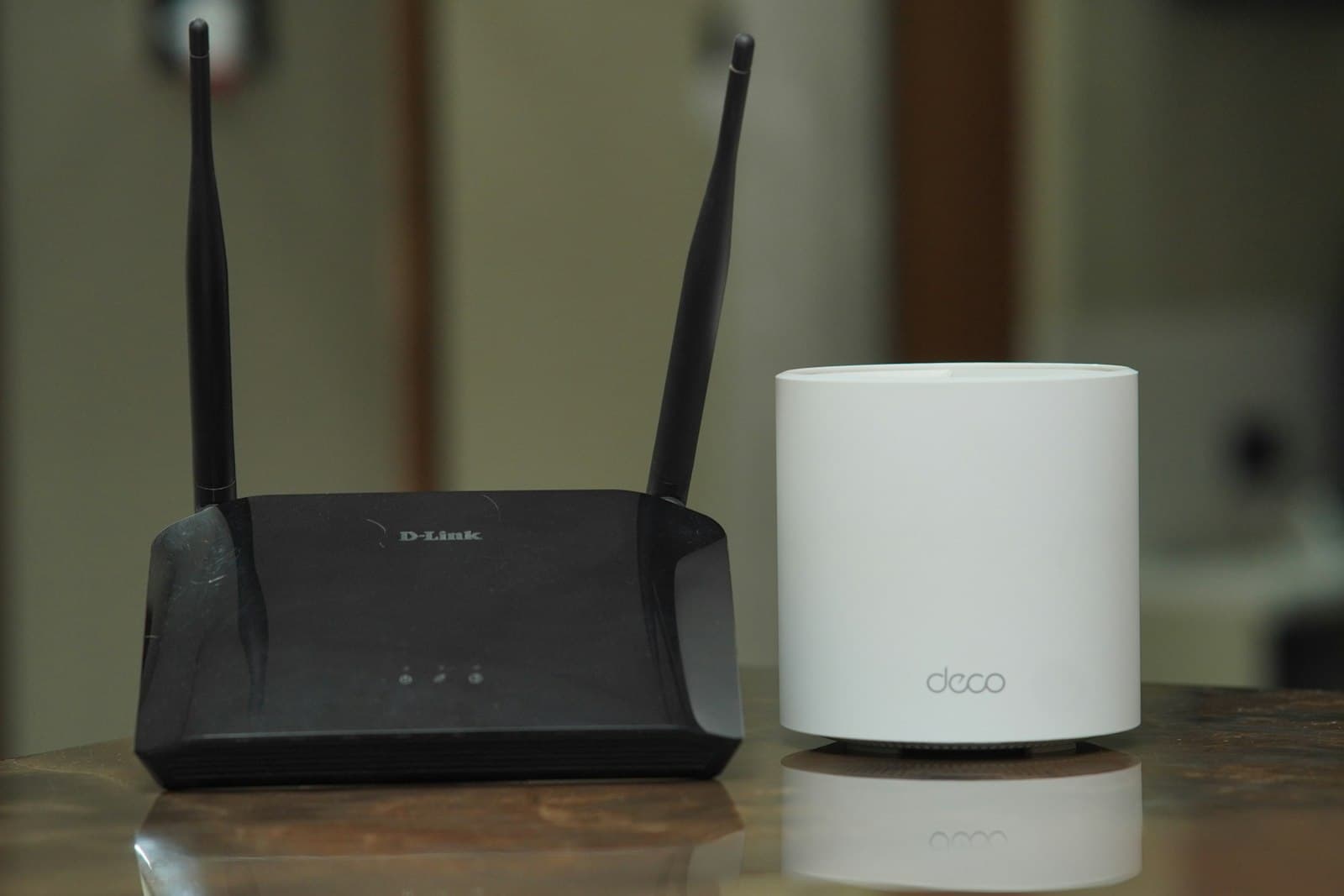
- Use a mesh WiFi system (TP-Link Deco, Eero, or similar — widely available in Mexico) for larger units or signal dead zones.
- Use an Ethernet cable for stationary workstations, smart TVs, and gaming consoles when possible — wired is always faster and more reliable.
- Add a UPS battery backup for the modem and router. Brief power flickers won’t drop your meeting.
- Run Speedtest.net at the start, mid-day, and during a real video call to see what you actually have under load.
Want your rental remote-work ready?
PlayaStays coordinates internet, WiFi optimization, backup plans, smart locks, and guest-ready systems.
If your property is part of an Airbnb management or vacation rental management program, internet quality is part of the operations standard — not a one-time setup.
4Electricity / CFE in Playa del Carmen

Electricity in Mexico is provided by CFE (Comisión Federal de Electricidad). CFE handles billing, online contracting, payment, and service inquiries through its website and the CFE Contigo app.
Do you need to put CFE in your name?
Not always. In many Playa del Carmen rentals, the CFE account stays in the owner’s name — the tenant either reimburses based on actual bills or pays directly through a shared payment method. For property purchases, new builds, or certain long-term leases, an owner or authorized party may need to open or update the CFE account themselves.
How to pay a CFE bill
CFE bills can typically be paid through:
- The CFE website
- The CFE Contigo app
- CFE service centers
- Convenience stores (Oxxo, etc.)
- Mexican banking apps
- Payment kiosks
Save every receipt. Late payments can lead to disconnection, and reconnection is its own bureaucratic process.
Why electric bills can spike
Air conditioning is the single biggest cost driver in Playa del Carmen. Bills climb fast when:
- AC runs all day at very low temperatures
- The property has poor insulation or old AC units
- Doors or windows are left open while AC runs
- Multiple mini-splits operate in parallel
- Long guest stays during peak summer heat
For Airbnb owners, clear in-unit AC instructions and a smart thermostat can meaningfully reduce waste. Mexican electricity tariffs include consumption tiers that can shift bills upward sharply with heavy use — confirm your current tariff via CFE.
CFE checklist
- Ask for the latest CFE bill before move-in.
- Confirm the account holder.
- Confirm payment responsibility (owner-paid, reimbursed, or tenant-direct).
- Check if there’s an outstanding balance.
- Photograph the meter on the day you move in.
- Confirm the billing cycle and due dates.
- Save the CFE service number, account number, and meter ID.
5Water / Aguakan

Water service in Playa del Carmen is commonly provided by Aguakan. The setup depends on the property type:
- In condos: water is often included in HOA fees, the building manages the account, and tenants don’t typically open one separately.
- In houses or independent properties: the owner usually contracts directly with Aguakan.
- For ownership transfers or new contracts: Aguakan typically requires property documentation, public registry documents, official ID, a location sketch, predial/cadastral information, and a power of attorney if someone is acting for the owner.
Specific requirements vary — confirm directly with Aguakan or the building administration before starting any setup.
Water checklist
- Confirm if water is included in HOA fees.
- Save the building administration contact for water issues.
- Test water pressure in every fixture at move-in.
- Confirm the hot water system (gas, electric, solar, or building-supplied).
- Walk through and check for visible leaks.
- Most owners use a water filter or bottled water for drinking — confirm what’s set up.
6Gas setup

Gas in Playa del Carmen comes in a few formats:
- Stationary tanks — common in houses and some condos; refilled on a schedule by a gas company.
- Portable cylinders — exchanged or refilled as needed.
- Building-managed gas — the HOA or administration handles supply.
- Electric-only properties — some newer builds skip gas entirely.
Safety + checklist
- Know the location of the main shut-off valve.
- Use professionals for installation or any connection work — never DIY a gas line.
- For Airbnb properties: guests should not handle gas refills. The owner or property manager schedules deliveries.
- Test the stove and hot water at move-in.
- Save the gas provider’s contact number.
7HOA / building administration coordination
If you’re in a condo, the HOA or building administration touches almost every utility decision. Things to coordinate or get permission for:
- Internet installation access (telecom rooms, riser shafts)
- Fiber wiring permissions through common areas
- Roof access for Starlink mounting (often restricted)
- Satellite dish or external equipment rules
- Move-in scheduling — many buildings reserve elevators and require a window
- Security registration for tenants, guests, and contractors
- Contractor entry procedures (technicians often need pre-registration)
Get the administration contact early. A 10-minute conversation before scheduling an installation saves days of friction later.
8Payments and billing
A Mexican bank account makes most utility billing significantly easier — domestic SPEI transfers clear quickly and most providers prefer them. Without a Mexican account, you can usually still pay via Oxxo, card, or app, but expect more friction and occasional fees.
If you need facturas (Mexican tax receipts) for your business or RFC, set this up at the start of each provider relationship — converting after the fact is painful.
A note on AC + electricity costs
Electric bills vary widely. A small condo with light AC usage typically runs much lower than a larger property with multiple mini-splits running daily. In some cases — especially during summer with heavy AC — electricity can become one of the largest monthly expenses on a property. Plan accordingly when budgeting, and if possible, look at the previous owner’s or tenant’s bill history before committing.
9Outages and emergencies
Storms, construction, and provider outages happen. Build in redundancy:
- UPS battery backup for the modem and router (a 30-minute cushion catches most flickers).
- A mobile hotspot on a different carrier — if Telcel goes down, AT&T might still be up.
- Starlink or a secondary fiber line for properties where uptime matters (remote-work primary residences, high-end Airbnb properties).
- An emergency contact sheet posted somewhere visible — owner, property manager, gas company, plumber, electrician.
- A clear escalation process: who does the guest or tenant call first?
10Smart home setup

Smart home equipment is great for owners who manage remotely, but every device adds complexity:
- Smart locks — best for guest turnover. Always have a backup physical key process for the manager.
- Smart thermostats — meaningful electricity savings on AC-heavy properties.
- Cameras — exterior only. Cameras should never be placed in private interior areas (bedrooms, bathrooms). Disclose any exterior cameras in the listing per Airbnb / Vrbo policy.
- Smart plugs — for fans, lights, water heaters that need scheduled cycling.
- Voice assistants — useful but consider language settings (Alexa / Google Home both support Spanish).
Privacy and platform policies on cameras change — always confirm current rules before installing.
Utility setup timeline
2–4 weeks before move-in
- Confirm what utilities are included; ask for latest bills.
- Check internet availability at the address.
- Gather documents.
- Decide if backup internet is needed.
1–2 weeks before
- Schedule internet installation.
- Confirm building access for technicians.
- Confirm CFE / water / gas setup status.
- Set up payment reminders.
Move-in day
- Test internet and WiFi in every room.
- Photograph the electric meter.
- Test AC, hot water, and stove.
- Confirm water pressure.
- Save WiFi password and provider contacts.
First month
- Confirm first bills arrive correctly.
- Track electricity usage; adjust AC habits if needed.
- Verify online account access for each provider.
Common mistakes
- Waiting until move-in day. Internet installs can take days or weeks. Start early.
- Assuming every building has fiber. Verify before signing a lease if internet matters.
- Confusing WiFi with internet. Bad coverage isn’t always a provider problem.
- Not asking about electricity costs. Heavy AC use can dwarf rent in summer.
- Not saving account numbers. When something breaks, you’ll need them.
- No backup internet. Remote workers and Airbnb hosts should always have a Plan B.
Property owner?
Ask about Core management support.
Core is PlayaStays’ practical property management tier — local coordination on utilities, vendor communication, maintenance, guest readiness, and ongoing oversight. See plan details or send us a note.
Frequently asked questions
What utilities do I need to set up in Playa del Carmen?
Typically: internet, electricity (CFE), water (Aguakan or HOA-managed), and gas. Add mobile phone service and a backup internet plan if you work remotely or run a vacation rental.
What is the best internet provider in Playa del Carmen?
Depends on your address. Telmex and Totalplay are the most common fiber options. Izzi and Megacable are useful alternatives in some buildings. Always check what’s already wired into your specific unit before choosing.
Is Starlink available in Playa del Carmen?
Yes, broadly — but check the official Starlink availability map for your exact address. Starlink shines as a backup or in properties where local fiber is weak. HOAs often restrict mounting on shared roofs in condos.
What is the difference between WiFi and internet?
Internet is the service coming into your property from a provider. WiFi is the wireless signal your router broadcasts inside. You can have great internet and bad WiFi if the router is poorly placed or the unit is too large for one access point.
How do I pay my CFE bill in Mexico?
Through the CFE website, the CFE Contigo app, in person at a CFE service center, at convenience stores like Oxxo, through your Mexican banking app, or at payment kiosks. Always save the receipt.
Do renters need to put CFE in their name?
Often no — many rentals keep CFE in the owner’s name and the tenant reimburses. For long-term leases or property purchases, the account may need to be opened or transferred. Confirm in your lease.
Is water included in condos in Playa del Carmen?
Often yes — most condos bundle water into HOA fees. Houses and independent properties typically contract Aguakan directly. Always ask the building administration first.
How do I set up gas delivery?
Depends on the property. Stationary tanks need a scheduled refill from a local gas provider. Portable cylinders are exchanged. Building-managed systems are handled by the HOA. Always know where the main shut-off valve is.
Do I need an RFC to set up utilities?
Not always for personal use. You’ll need it if you want facturas (tax receipts) for the bills, or if you’re setting up service as a business.
What should remote workers do for backup internet?
At minimum, a mobile hotspot on a different carrier than your primary fiber. Better: Starlink or a secondary fiber line for redundancy. Add a UPS battery backup so brief outages don’t drop your meeting.
Can PlayaStays help coordinate utilities?
Yes — PlayaStays handles utility coordination, move-in setup, owner-side billing organization, vendor communication, and ongoing property oversight as part of property management in Playa del Carmen. Useful for owners who aren’t on the ground or who don’t want to manage utility logistics directly.
Final thoughts

Setting up utilities in Playa del Carmen is manageable once you understand the process — but every property is different. The best approach is to confirm what already exists, gather documents early, verify internet availability before committing, understand who pays each bill, and build a clear utility checklist before move-in.
For most people, the highest-priority items are: reliable internet, strong WiFi coverage, CFE electricity payment tracking, water and gas confirmation, and backup internet if working remotely.
Whether you’re moving into a long-term rental, preparing an Airbnb in Playa del Carmen, or setting up a property you own, organized utilities are one of the most important parts of a smooth move-in.
Need help getting set up?
PlayaStays handles utility setup and ongoing coordination across Quintana Roo.
Free estimate based on real local data. No spam, just clear next steps.
Photos via Unsplash — used under the Unsplash License. Photographers credited on each photo’s source page.
Photos via Unsplash — used under the Unsplash License.
Updated May 2026. Utility requirements, pricing, provider availability, and office procedures change. Always confirm directly with the provider, building administration, or property manager before committing. Sources to verify with: CFE, Aguakan, individual provider websites, the Starlink availability map, your local building administration, and current tenant/owner reports.
Find out what your property could earn with PlayaStays
Free revenue estimate. Based on real market data from our managed portfolio.
Get My Free Estimate →